Incoquito1.8.8
Publisher Description
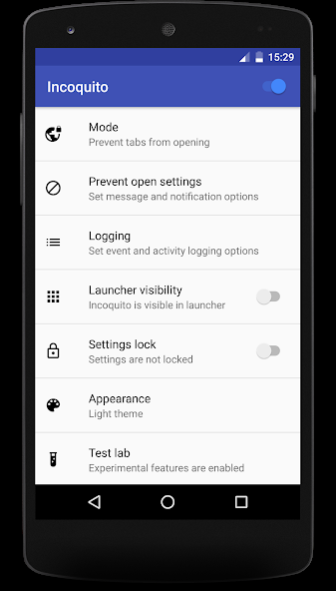
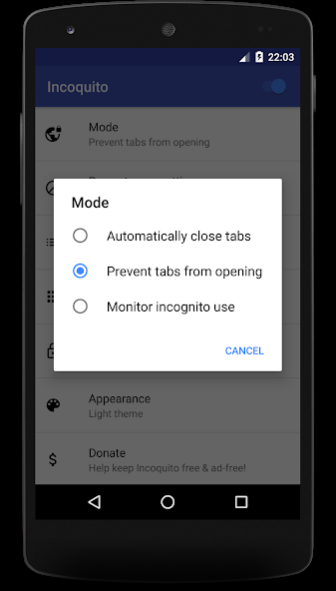
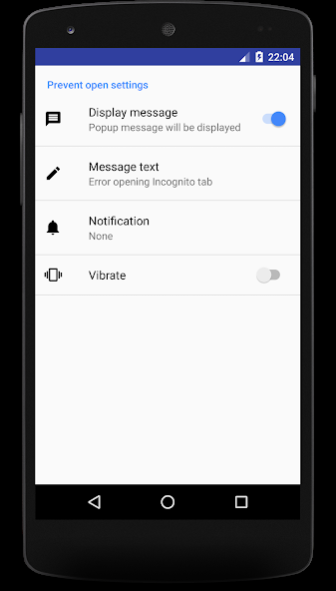
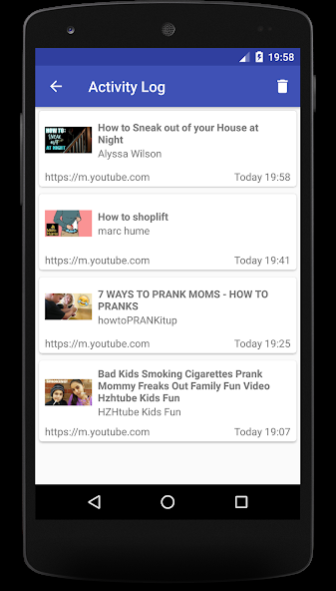
Automatically close incognito tabs, disable incognito browsing or monitor incognito use.
✶ Modes ✶
○ Auto-close
- Closes incognito tabs when the screen is turned off or after the chosen delay.
○ Prevent
- Prevents incognito tabs from being opened.
○ Monitor
- Allows incognito browsing but logs events and activities.
If you have any issues setting up Incoquito, please contact me at the developer email address below for help. I'm on GMT and will respond as quickly as I can (sleep permitting!) - usually within an hour, if not within minutes.
Please
do not leave a negative review asking for help - I cannot provide support in the review comments and would greatly appreciate the chance to help you before you leave a review.
NOTE: Incognito notifications for Chrome must be enabled in the Android settings in order for Incoquito to detect that incognito tabs are open.
✶ Full Chrome support ✶
○ In addition to regular Chrome, works with Chrome Beta, Chrome Canary and Chrome Dev.
✶ Additional Features ✶
Event logging
○ Logs various events related to the use of incognito mode in Chrome, including when incognito tabs are opened or closed.
Activity logging
○ Logs media playback and file download activity from within Chrome. Logging can be enabled for all browser sessions or only when there are incognito tabs open.
Launcher hide
○ Hides Incoquito from the launcher so that it is not obvious that it is installed. Once hidden, Incoquito is only able to be launched from the dialer or its launch web page (see the FAQ below).
Uninstall protection
(experimental)
○ Detects when an attempt is made to uninstall Incoquito and prevents the uninstallation.
Android settings guard
(experimental)
○ Guards Android settings and prevents changes to any settings that would affect the operation of Incoquito.
YouTube logging
(experimental)
○ Logs videos played in the YouTube app.
Prevent YouTube incognito mode
(experimental)
○ Prevent access to the YouTube app when it is in incognito mode. Access will remain blocked until the setting is disabled or the incognito session ends (after 90 minutes of inactivity in the YouTube app).
Block other browsers
(experimental)
○ Prevents access non-Chrome browsers. Currently blocks access to 200+ of the most popular browsers with new browsers being added all the time. If you find a browser that isn't blocked, please let me know and I'll add it to the list.
Settings lock
○ Locks all Incoquito settings to prevent unauthorized changes.
✶ Requirements ✶
• Chrome version 51.0.2698.0 (or later) and notifications turned on for Chrome
• Access to notifications
To check whether Incoquito will work on your device prior to installing, open an incognito tab in Chrome. If Chrome adds it's "Close all incognito tabs" notification to the notification drawer, Incoquito will work on your device.
✶ FAQ ✶
Q: How do I launch Incoquito when it is hidden?
A: When Incoquito is hidden there are 2 ways it can be launched from the device:
• Use Chrome to browse to
https://incoquito.leminolabs.com/launcher
and click the "Launch Incoquito" button
• Open the system dialer and enter the following code (INCO): *#*#4626#*#*
About Incoquito
The company that develops Incoquito is Lemino Labs. The latest version released by its developer is 1.8.8. This app was rated by 1 users of our site and has an average rating of 2.5.
To install Incoquito on your Android device, just click the green Continue To App button above to start the installation process. The app is listed on our website since 2020-07-12 and was downloaded 223 times. We have already checked if the download link is safe, however for your own protection we recommend that you scan the downloaded app with your antivirus. Your antivirus may detect the Incoquito as malware as malware if the download link to com.leminolabs.paid.incoquito is broken.
How to install Incoquito on your Android device:
- Click on the Continue To App button on our website. This will redirect you to Google Play.
- Once the Incoquito is shown in the Google Play listing of your Android device, you can start its download and installation. Tap on the Install button located below the search bar and to the right of the app icon.
- A pop-up window with the permissions required by Incoquito will be shown. Click on Accept to continue the process.
- Incoquito will be downloaded onto your device, displaying a progress. Once the download completes, the installation will start and you'll get a notification after the installation is finished.
Program Details
System requirements
Download information
Pricing
Version History
version 1.8.8
posted on 2020-07-12
. Added support for additional browsers
. Added quick set up for parental control on first launch
. Added additional detection methods for incognito tabs (experimental)
. Added ability to block incognito mode in Google Maps (experimental)
version 1.8.3
posted on 2020-05-23
. Added ability to remotely unlock the settings of a device
. Always allow app icon to be unhidden in the launcher
version 1.7.4
posted on 2019-12-22
. Fixed issue with generation of issue report on some devices
version 1.7.1
posted on 2019-06-14
. Added ability to prevent the YouTube app from being used in Incognito mode (experimental).
